
Category: Technology

7 3d product animation mistakes to avoid?7 3d product animation mistakes to avoid?

In today’s competitive digital world, 3D product animation has become one of the most powerful ways to showcase products, attract customers, and increase conversions. Whether it’s a sleek smartphone, a piece of industrial machinery, or a new beauty gadget, 3D animation can make products come alive in a way that static images never could.

However, even with all its advantages, many brands and studios fail to unlock the full potential of 3D product animation. Why? Because they make avoidable mistakes — errors that reduce quality, confuse viewers, and weaken brand trust.

If you’re investing time, effort, or money into 3D product animation, it’s crucial to get it right. In this comprehensive guide, we’ll walk through seven of the most common mistakes to avoid, so your animation delivers impact, accuracy, and stunning visual appeal.


1. Ignoring the Product’s Purpose and Target Audience

The first and most damaging mistake in 3D product animation is failing to understand the product’s purpose and the audience’s expectations.

Too often, animators focus purely on aesthetics — lighting, rendering, camera moves — while forgetting who the animation is for. The end result looks beautiful but fails to communicate the product’s value or function effectively.

Before creating a single frame, ask:

  • What problem does this product solve?

  • Who will use it, and what do they care about?

  • Is the animation meant for advertising, training, e-commerce, or investor presentations?

For example, if you’re animating a medical device, your 3D product animation should highlight precision, safety, and reliability. On the other hand, a tech gadget might require a sleek, futuristic, and fast-paced visual tone.

When you design with your target audience in mind, every animation decision — color, lighting, motion — will align with your brand message and make your visuals far more engaging.


2. Overcomplicating the Animation with Excessive Effects

Visual effects are tempting. Animators love showing off their technical skills with explosions, transitions, glowing lights, and cinematic camera spins. But too much of anything can quickly ruin the impact of your 3D product animation.

Complex visual effects often distract from the actual product. Remember, the goal isn’t to create a sci-fi movie — it’s to make your product shine. Overuse of reflections, particles, or motion blur can draw attention away from key features and make the viewer lose focus.

Simplicity is powerful. The most effective 3D product animation highlights the product’s strengths — materials, design, and functionality — without overwhelming viewers.

A few guidelines to keep in mind:

  • Keep the background simple and neutral.

  • Use lighting to emphasize shape and texture.

  • Use effects only when they enhance, not dominate, the scene.

  • Focus on realism and accuracy rather than flashiness.

In short, less is often more. A clean, minimal animation that communicates purpose clearly will always outperform a chaotic one packed with unnecessary effects.


3. Neglecting Realistic Textures and Materials

One of the defining elements of great 3D product animation is realism — and realism largely depends on textures and materials. Even the most perfectly modeled product can fall flat if its materials look fake or inconsistent.

A plastic material that reflects like glass, a metallic surface that looks dull, or fabric that feels stiff — all these can instantly break the illusion of reality. Viewers might not consciously know what’s wrong, but they’ll sense that something doesn’t feel “right.”

To avoid this mistake:

  • Study real-life reference materials before texturing.

  • Use physically accurate shaders (PBR materials).

  • Adjust surface imperfections like scratches, fingerprints, or reflections for authenticity.

  • Match lighting to the product’s environment to ensure consistency.

When viewers can almost “feel” the surface just by looking at your 3D product animation, you know you’ve achieved realism.


4. Skipping Storytelling and Narrative Flow

A product animation without a story is just a technical showcase — and technical showcases rarely hold audience attention. Storytelling gives your 3D product animation emotional appeal, context, and memorability.

Even a short 30-second animation should have a flow: introduction, exploration, and conclusion. Begin by showing what the product is, then demonstrate how it works or solves a problem, and finally, highlight its benefits or lifestyle value.

Here’s a simple narrative structure you can use:

  1. Hook – A visually striking intro that grabs attention.

  2. Reveal – Show the product in full.

  3. Functionality – Demonstrate key features in action.

  4. Benefit – Emphasize why it matters to the user.

  5. Call to Action – End with a brand logo or tagline.

Without this structure, your animation risks feeling random or disconnected. A clear narrative ensures your 3D product animation keeps viewers engaged from start to finish and motivates them to act.


5. Using Inaccurate Product Models

Another costly mistake many animators make is using inaccurate 3D models. Whether it’s due to rushing deadlines or poor reference materials, an inaccurate model can completely destroy the credibility of your 3D product animation.

Imagine an animation where buttons are misplaced, dimensions are wrong, or textures differ from the actual product. Such inconsistencies can mislead customers and even cause brand trust issues.

To prevent this, always:

  • Work directly from manufacturer CAD files or technical drawings.

  • Verify all measurements and proportions carefully.

  • Consult with product designers or engineers for approval.

  • Ensure materials and finishes match the physical product.

Your goal is to make viewers believe they’re seeing the real thing. Precision is key to building trust, especially in industries like automotive, tech, and manufacturing.


6. Forgetting Lighting and Camera Composition Principles

Lighting and camera work can make or break any 3D product animation. These two factors determine how viewers perceive shape, scale, mood, and quality. Yet many animators treat lighting as an afterthought or rely on default settings.

Poor lighting leads to flat, unrealistic renders. Similarly, careless camera movement can make the animation look amateurish or dizzying.

Think like a photographer or cinematographer:

  • Use three-point lighting (key, fill, and rim lights) to define shape and dimension.

  • Adjust intensity and color temperature to suit the product’s tone.

  • Use camera focus and depth of field to guide the viewer’s eye.

  • Avoid unnecessary camera shakes or overcomplicated movements.

The most cinematic 3D product animation feels natural — the camera glides smoothly, focuses where it should, and lighting enhances the beauty of materials. Mastering these visual storytelling tools is essential for creating professional-grade results.


7. Overlooking Post-Production and Sound Design

Once the 3D render is complete, many teams rush to deliver the project — forgetting the magic that happens in post-production. But skipping this step is one of the biggest mistakes in 3D product animation.

Post-production adds polish, emotion, and energy to the animation. Without it, even great visuals can feel lifeless.

Key post-production elements include:

  • Color Grading: Adjusting tone, contrast, and warmth to achieve a cinematic look.

  • Compositing: Integrating multiple render passes (shadows, reflections, glow) for depth.

  • Sound Design: Adding music, ambient sounds, or subtle effects to increase immersion.

  • Branding: Incorporating text overlays, motion graphics, and logo reveals.

Sound is especially critical. A subtle click when a button presses, a whoosh during transitions, or a soft ambient track can dramatically improve the viewer’s emotional connection.

A polished post-production process turns your 3D product animation from “good” to “exceptional.”


Bonus Tip: Ignoring Rendering Optimization

While not one of the seven core mistakes, optimization deserves a mention. Rendering is often the most time-consuming part of any 3D product animation project. Poor optimization can lead to endless render times, wasted resources, and missed deadlines.

You can avoid these issues by:

  • Using efficient lighting setups like HDRI instead of multiple physical lights.

  • Baking reflections and shadows when possible.

  • Lowering polygon counts where detail isn’t visible.

  • Utilizing render passes to tweak individual elements later in compositing.

A smooth, optimized workflow ensures your animation looks great without burning unnecessary time or computing power.


Best Practices to Get 3D Product Animation Right

Now that we’ve covered the major pitfalls, let’s quickly go through a few best practices to elevate your work:

  1. Start with a solid storyboard. This helps plan camera angles, timing, and storytelling.

  2. Focus on product realism. Ensure lighting, textures, and materials are believable.

  3. Use motion to explain, not distract. Each movement should have purpose.

  4. Review early drafts with stakeholders. Get feedback before final rendering.

  5. Keep branding consistent. Font, color, and tone should align with your brand’s identity.

  6. Export multiple versions. Optimize for different platforms like YouTube, Instagram, or e-commerce websites.

A well-planned workflow combined with these best practices ensures your 3D product animation looks professional, effective, and aligned with your marketing goals.


How to Evaluate the Quality of a 3D Product Animation

Once your animation is complete, review it critically before final delivery. Here’s a checklist to evaluate quality:

  • Visual Fidelity: Does it accurately represent the product’s design?

  • Lighting & Shadows: Are they natural and consistent?

  • Motion Flow: Are camera transitions smooth and purposeful?

  • Rendering Quality: Are there artifacts, flickering, or noise issues?

  • Sound Integration: Does audio enhance the visual experience?

  • Brand Alignment: Does it match your company’s tone and values?

A professional 3D product animation should look crisp, communicate clearly, and make viewers remember your product long after they’ve seen it.


Common Industry Examples of Mistakes

Let’s look at a few real-world examples to understand how these mistakes can play out:

  • Tech Products: Overuse of reflections makes screens unreadable, confusing viewers.

  • Furniture Animations: Inaccurate textures make wood or fabric look artificial.

  • Automotive Visuals: Poor lighting hides important design lines or misrepresents paint finishes.

  • Cosmetic Products: Excessive particle effects distract from packaging design.

Learning from these real-world missteps ensures you deliver 3D product animation that feels premium and authentic.


Why Avoiding These Mistakes Matters

Each mistake might seem small, but together they can drastically reduce the impact of your animation. Poor visuals can hurt brand perception, confuse potential buyers, or even make products seem cheap.

Conversely, a polished 3D product animation captures attention instantly. It tells your product’s story with elegance, clarity, and emotional connection — the kind that inspires viewers to click “Buy Now.”

By avoiding the common pitfalls and focusing on storytelling, accuracy, and quality, your animation can become a long-term marketing asset, not just a short-lived campaign piece.


Conclusion

3D product animation is one of the most powerful marketing and communication tools available today. It allows brands to visualize ideas, demonstrate features, and engage audiences like never before. But success depends not only on creativity — it relies on precision, planning, and avoiding the mistakes that can compromise quality.

Let’s quickly recap the 7 mistakes to avoid:

  1. Ignoring the product’s purpose and audience.

  2. Overcomplicating with unnecessary effects.

  3. Neglecting realistic textures and materials.

  4. Skipping storytelling and narrative flow.

  5. Using inaccurate models.

  6. Forgetting lighting and camera composition.

  7. Overlooking post-production and sound design.

When you avoid these errors and apply thoughtful design, storytelling, and technical precision, your 3D product animation becomes more than just a video — it becomes a persuasive experience that builds trust, enhances brand image, and drives conversions.

Whether you’re a marketer, product designer, or 3D artist, remember: every frame should serve a purpose. Every detail matters. Every decision shapes perception.

By mastering these principles and steering clear of common mistakes, you’ll not only save time and budget but also create animations that truly captivate audiences and stand the test of time.
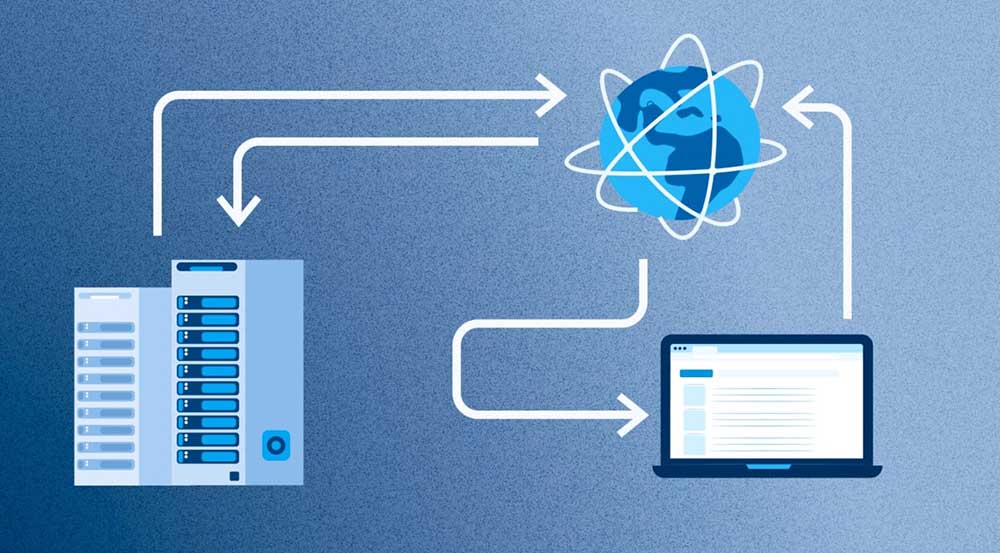
Как выбрать VPS сервер: ключевые параметры и советы экспертовКак выбрать VPS сервер: ключевые параметры и советы экспертов

Сайт ruvps.top предлагает аренду более тысячи виртуальных серверов VPS/VDS по доступным ценам от 99 рублей в месяц. Здесь собраны решения от проверенных хостинг-провайдеров с высокой репутацией и стабильной инфраструктурой. Вы можете выбрать подходящую конфигурацию под любые задачи — от небольшого лендинга до крупного корпоративного портала. Аренда VPS — это современное решение, позволяющее управлять ресурсами гибко и эффективно. Каждый vps сервер поставляется с высокоскоростными SSD- или NVMe-дисками, что обеспечивает быструю работу сайтов и приложений даже при большой нагрузке.

Преимущества аренды VPS
Использование виртуального сервера даёт полную свободу управления. Можно самостоятельно выбирать операционную систему, устанавливать программное обеспечение, настраивать панели управления и сервисы безопасности. В отличие от обычного хостинга, VPS работает изолированно, что повышает стабильность и защищает данные. Подходит как для тестирования новых проектов, так и для постоянной работы сайта или интернет-магазина. Если ваш проект растёт, достаточно расширить ресурсы за несколько минут, не теряя времени на перенос данных. Такой формат аренды особенно удобен для предпринимателей, разработчиков и компаний, ценящих надёжность.

Почему стоит купить VPS на ruvps.top
Платформа ruvps.top помогает быстро подобрать и купить vps, исходя из конкретных требований. Все предложения размещены с подробными характеристиками, включая объём памяти, количество ядер процессора, тип виртуализации и пропускную способность каналов. Вы можете сразу сравнить тарифы разных провайдеров и выбрать оптимальный по цене и параметрам. Поддержка доступна круглосуточно, а запуск сервера осуществляется мгновенно после оплаты. Это даёт возможность начать работу уже через несколько минут. Простота, скорость и прозрачность — главные преимущества выбора на ruvps.top.

Российские и зарубежные локации
В каталоге представлены серверы, расположенные в России, Европе и странах СНГ. Для проектов, ориентированных на российскую аудиторию, локальные дата-центры обеспечивают минимальные задержки и высокий уровень доступности. Для международных сервисов доступны европейские локации с отличной связью и стабильной инфраструктурой. Каждый vps сервер работает на современных платформах с надёжной защитой, резервированием каналов и регулярным мониторингом. Независимо от выбранной страны размещения, пользователи получают одинаково высокий уровень производительности и безопасности.

VPS с администрированием
Для тех, кто не хочет тратить время на настройку, доступны решения с администрированием. В таких тарифах провайдер полностью берёт на себя техническое обслуживание: устанавливает систему, обновляет программное обеспечение, выполняет мониторинг и резервное копирование. Это удобно для владельцев бизнеса, которым важно стабильное функционирование проектов без погружения в технические детали. Такой подход помогает сосредоточиться на развитии сайта и клиентах, не думая о сбоях и настройках. Возможность гибко расширять ресурсы делает аренду управляемого сервера особенно выгодной для компаний с растущей нагрузкой.

Итог
Аренда виртуальных серверов VPS/VDS — это современный инструмент, который сочетает скорость, надёжность и гибкость. Возможность купить vps по доступной цене, выбрать мощность и конфигурацию под конкретные задачи делает этот вариант оптимальным для любого уровня проектов. На сайте ruvps.top вы найдёте лучшие предложения от ведущих хостинг-провайдеров, которые обеспечат вашему бизнесу стабильность и производительность. Виртуальный сервер — это шаг к независимости, контролю и безопасности, без которых невозможно представить успешный онлайн-проект.

2d animation frame rates explained?2d animation frame rates explained?

Imagine watching your favorite cartoon — the smooth motion of a character running, the subtle blink of an eye, the way every frame seems alive. That seamless flow doesn’t happen by magic. It’s all thanks to frame rate — the heartbeat of 2d animation. Without the right frame rate, even the most beautifully drawn scenes can feel jerky or lifeless.

Every animated masterpiece, from timeless Disney classics to today’s indie web series, relies on the delicate balance of frames per second (FPS). The number of images shown per second determines how fluid or stylized the movement appears. Understanding how frame rates work gives animators creative control — to decide whether an action feels snappy, natural, or dreamlike.

Whether you’re an aspiring animator, a film student, or just a fan of animation, learning about 2d animation frame rates opens up a fascinating layer of storytelling. It helps you appreciate why a vintage cartoon feels so different from modern digital animation — and how timing and rhythm can shape emotion, energy, and realism.

By the end of this guide, you’ll understand not only what frame rates are but also how to choose the right one for your own projects. You’ll discover industry standards, how traditional and digital animators approach timing, and how to make motion truly come alive. Let’s dive in!


What Is Frame Rate in 2D Animation?

In simple terms, frame rate refers to the number of individual images (frames) displayed per second in a moving sequence. It’s measured in frames per second (FPS). The higher the frame rate, the smoother the motion appears.

For example:

  • 12 FPS = 12 drawings displayed every second

  • 24 FPS = 24 drawings displayed every second

Each frame is like a still photo. When shown rapidly in sequence, our eyes perceive continuous motion — a phenomenon known as persistence of vision.

In 2d animation, controlling frame rate allows animators to fine-tune how the audience perceives movement — whether it’s fast-paced, choppy, or buttery smooth.


The History of Frame Rates in 2D Animation

Early Experiments

In the early 1900s, pioneers like Winsor McCay were experimenting with hand-drawn 2d animation on celluloid sheets. Frame rates varied widely because everything was done manually. Some early shorts used as few as 8–10 frames per second to save time and materials.

The Rise of 24 FPS

As film technology advanced, 24 frames per second became the standard for motion pictures. This rate offered a perfect balance: smooth enough for realism, yet economical for production. Since animation was projected on film alongside live-action, animators adopted 24 FPS as their base rate too.

Television and Limited Animation

When TV became popular in the 1950s, animation studios sought cheaper ways to produce content. Shows like The Flintstones or Scooby-Doo used limited animation, often animating “on twos” or “on fours” (explained later). This allowed fewer drawings per second without sacrificing storytelling.

Today, digital tools make it easier to experiment, but those foundational frame rate principles remain the same.


Understanding “On Ones,” “On Twos,” and “On Threes”

One of the first things animators learn is how to animate on ones, on twos, or on threes. These terms describe how many frames each drawing stays on screen.

  • On Ones – A new drawing every single frame (24 drawings per second).

    • Smoothest possible motion.

    • Used for fast actions or high-quality animation (like feature films).

  • On Twos – One drawing every two frames (12 drawings per second).

    • Standard for most 2d animation.

    • Saves time and keeps motion natural without extra work.

  • On Threes or Fours – One drawing every three or four frames.

    • Common for slow actions, background movements, or stylized looks.

    • Often used in anime and limited TV animation.

By mixing these frame rates within a single scene, animators create rhythm and variation. Fast scenes might use “ones,” while dialogue scenes use “twos” to save effort.


The Science Behind Smooth Motion

Human vision perceives continuous motion around 10 to 12 FPS, but smooth realism typically requires 24 FPS or higher. At lower rates, motion feels choppy — useful for stylized effects. Higher rates like 48 FPS or 60 FPS can make animation appear hyper-realistic, sometimes even too real for hand-drawn art.

In 2d animation, it’s not always about maximum smoothness. Sometimes, a slightly choppy rhythm feels more artistic or expressive. The charm of animation often lies in its exaggeration, not realism.


Why Frame Rate Matters in 2D Animation

1. Motion Quality

Frame rate directly affects how fluid motion looks. A higher FPS feels smoother, while a lower one can feel stylized or “stop-motion” like.

2. Production Time

Each frame must be drawn, colored, and composited. Doubling the frame rate doubles the workload. That’s why most 2d animation projects use 12 FPS for efficiency.

3. Visual Style

Different frame rates give unique aesthetic qualities:

  • 12 FPS = classic, cartoon-like motion.

  • 24 FPS = cinematic, realistic motion.

  • 8 FPS = vintage or experimental look.

4. Budget Constraints

Professional studios balance quality and cost. A 10-second scene at 24 FPS needs 240 frames. At 12 FPS, only 120 — saving time, money, and effort.


Common Frame Rates in 2D Animation

Frame Rate Description Typical Use
8 FPS Very choppy, stylized motion Experimental shorts
12 FPS Standard for hand-drawn TV animation Cartoons, web animation
15 FPS Slightly smoother Indie or digital 2D projects
24 FPS Cinematic standard Feature films, anime
30 FPS Used for video formats Online animation, YouTube
60 FPS Ultra-smooth Rare for 2D; used in games or interactive media

Each rate serves a different artistic purpose. The key is matching the frame rate to your project’s mood, pacing, and technical needs.


The Art of Timing in 2D Animation

Timing defines how long an action takes — and it’s deeply tied to frame rate.

If a character jumps in one second at 24 FPS, that’s 24 drawings. At 12 FPS, it’s 12 drawings. The movement lasts the same duration but with fewer poses, so the animator must exaggerate key positions to maintain clarity.

Good timing brings emotion to life:

  • Fast actions = excitement or panic

  • Slow actions = grace or weight

  • Even pacing = calm or robotic feel

Master animators study timing charts and spacing to make motion believable at any frame rate.


Frame Rates in Traditional Hand-Drawn Animation

Classic studios like Disney, Warner Bros., and Studio Ghibli perfected the use of frame rates decades ago.

Disney’s Approach

Disney’s Snow White (1937) and Beauty and the Beast (1991) often animated “on twos,” switching to “ones” only during intense motion sequences. The result: smooth yet efficient motion.

Warner Bros. Cartoons

Looney Tunes shorts used lower frame rates for slapstick energy. Exaggerated timing made each movement pop, proving that 2d animation doesn’t need high FPS to feel alive.

Anime Techniques

Japanese studios often use 8–12 FPS, relying on stylized movement and strong key poses. The focus is on storytelling and expression, not hyper-realism.


Frame Rates in Digital 2D Animation

With digital tools like Toon Boom, Adobe Animate, and OpenToonz, animators can easily experiment with timing and frame duplication.

Digital pipelines often use 24 FPS as the project frame rate, but animators still work “on twos” or “on threes.” The computer simply repeats frames automatically — saving hours of manual effort.

Digital technology also allows for hybrid styles, such as combining 2d animation with 3D elements or interpolated motion for smoother playback.


The Relationship Between Frame Rate and Motion Blur

In live-action, motion blur occurs naturally as a result of camera exposure. In 2d animation, artists must simulate it by smearing drawings, duplicating limbs, or using speed lines.

At lower frame rates (like 12 FPS), adding motion blur tricks the eye into perceiving smoother motion. This is common in anime fight scenes, where stylized smears create energy without increasing frame count.


Choosing the Right Frame Rate for Your Project

Selecting a frame rate depends on several factors:

1. Purpose

  • TV shows and web series: 12 FPS for cost efficiency.

  • Feature films: 24 FPS for cinematic smoothness.

  • Games or apps: 30–60 FPS for responsiveness.

2. Style

If your style is sketchy or experimental, lower frame rates can enhance charm. Clean, realistic animation benefits from higher FPS.

3. Budget and Time

Remember: more frames mean more work. A 5-minute short at 24 FPS can take twice as long to produce as one at 12 FPS.

4. Software and Output

Make sure your export settings match your intended platform (YouTube, TV, cinema). Mismatched FPS can cause stuttering or audio sync issues.


How Frame Rates Affect Viewer Perception

Viewers subconsciously feel differences in frame rate:

  • 12 FPS feels like “animation.”

  • 24 FPS feels “cinematic.”

  • 48 FPS feels “real,” almost unsettling for hand-drawn art.

Psychologically, our brains associate lower FPS with stylization and fantasy. That’s why most 2d animation stays between 12–24 FPS — balancing clarity and charm.


Frame Rates and Storytelling

Frame rate isn’t just a technical detail — it’s a storytelling tool. The pacing of your animation can influence emotion and tension.

For example:

  • A slow-motion emotional scene might hold frames longer.

  • A fast chase might switch “on ones” for intensity.

  • A dream sequence could use fewer frames to feel surreal.

Mastering timing means mastering storytelling through motion.


Tools and Software for Managing Frame Rates

Modern 2d animation software provides full control over timing and FPS:

  • Toon Boom Harmony – Professional industry tool used by Disney TV and Nickelodeon.

  • Adobe Animate (Flash) – Great for web and 2D video projects.

  • OpenToonz – Open-source tool used by Studio Ghibli.

  • Krita and Blender (Grease Pencil) – Free options for digital artists.

These tools allow animators to preview, adjust, and experiment with frame rates easily — something traditional animators could only dream of.


Common Mistakes Beginners Make with Frame Rates

  1. Mixing FPS settings – Always set your project FPS before animating. Changing later causes timing issues.

  2. Over-smoothing – Higher FPS isn’t always better; it can make motion feel mechanical.

  3. Ignoring timing – Frame rate alone doesn’t create good motion. Strong key poses matter more.

  4. Export mismatches – Rendering a 24 FPS animation at 30 FPS can cause ghosting or lag.


Case Studies: Frame Rates in Iconic 2D Animations

Spider-Man: Into the Spider-Verse (2018)

Although primarily 3D, it mimics 2d animation principles. Some scenes animate “on twos” to enhance stylization and contrast with smoother characters.

The Lion King (1994)

A mix of “ones” and “twos” brought natural fluidity to lifelike movement, proving how 24 FPS can look hand-crafted when used wisely.

Attack on Titan (Anime)

Often animated at 8–12 FPS, but uses dynamic camera movement and effects to appear much smoother — a testament to the power of strong composition and timing.


The Future of Frame Rates in 2D Animation

Technology continues to evolve. With AI-assisted inbetweening and interpolation, animators can now simulate higher frame rates without drawing every frame. However, the artistic choice remains vital.

The future may blend 2d animation charm with 3D smoothness, but the human touch — timing, rhythm, and creative control — will always define great animation.


Practical Tips for Animators

  1. Start simple: Work at 12 FPS for practice.

  2. Experiment: Try mixing frame rates within scenes for variety.

  3. Use timing charts: Plan keyframes before drawing in-betweens.

  4. Watch references: Study classic animations at different FPS levels.

  5. Prioritize clarity: Always favor strong poses over excessive smoothness.


Frame Rate Myths Debunked

  • “More frames = better animation” → Not always true. Too smooth can lose character.

  • “All professional animations are 24 FPS” → Many top shows use 12 FPS efficiently.

  • “Digital animation eliminates timing issues” → Timing still depends on artistic choices.


How Frame Rates Affect Editing and Compositing

During post-production, editors sync sound, effects, and transitions based on frame rate. Inconsistent FPS can cause:

  • Audio desync

  • Flicker or jitter

  • Uneven pacing

Keeping consistent FPS from storyboard to final render ensures professional-quality output.


Comparing 2D and 3D Animation Frame Rates

While 2d animation often works on 12–24 FPS, 3D animation tends to stay at 24–30 FPS for realism. The difference lies in how motion is created:

  • 3D uses interpolation (software fills in in-betweens).

  • 2D relies on hand-drawn frames.

That’s why 2D’s charm lies in imperfection — those subtle, deliberate jerks and holds that give it soul.


The Emotional Impact of Frame Rate

Low FPS can make scenes feel raw or nostalgic, while high FPS feels immersive and modern. Directors often use frame rate intentionally to evoke emotion.

For example, Paperman (Disney short) used hybrid 2d animation with subtle frame timing to blend traditional warmth with digital precision.


Final Thoughts on Mastering Frame Rates

Understanding frame rates isn’t about memorizing numbers — it’s about mastering rhythm. The right frame rate gives weight to a punch, grace to a dance, or emotion to a glance.

The magic of 2d animation lies in timing, not technology. Whether you animate at 8 FPS or 24 FPS, your choices shape how the story feels.


Conclusion

Frame rate is the invisible language of motion. It defines how audiences experience your art — whether it’s nostalgic, energetic, or cinematic.

In 2d animation, each frame is a brushstroke of time. Knowing when to hold and when to move separates amateurs from masters. From traditional cel animation to digital workflows, understanding frame rates gives you creative power.

Remember: it’s not about how many frames you draw — it’s about what those frames say.

Видеонаблюдение в Дубае: сэкономит ваше время и деньгиВидеонаблюдение в Дубае: сэкономит ваше время и деньги

Дубай — один из самых технологически продвинутых городов региона, с высоким уровнем безопасности и строгими нормативами. Видеонаблюдение (CCTV) играет ключевую роль в обеспечении городской, коммерческой и частной безопасности. Однако его реализация регулируется множеством правил, стандартов и институтов надзора Камеры видеонаблюдения в Дубае.
Это ключевой орган в Дубае, который регулирует, сертифицирует и инспектирует системы видеонаблюдения. Установки камер, оборудование, монтаж — всё должно соответствовать техническим и юридическим требованиям SIRA.

Минимальное разрешение (например, Full HD / 2 мегапикселя) для большинства коммерческих объектов.
Для крупных объектов — IP‑камеры, системы удалённого доступа, резервное питание (UPS), соответствие стандартам устойчивости и безопасности.
Требования к хранению видео: определённые сроки хранения, защита от несанкционированного доступа; часто 30 дней минимум, возможно больше для чувствительных объектов.

Видеонаблюдение в Дубае — не просто вопрос безопасности, но и строго регламентированная область, где ключевую роль играют законы, качество и соблюдение приватности. Рынок развивается быстро: растёт спрос на камеры высокого разрешения, IP‑решения, AI‑аналитику и интеграцию в интеллектуальные системы города. Тот, кто пренебрегает нормативами, рискует штрафами, утратой доверия или даже юридическими последствиями.